
xTool M2 40W Color Craft Laser Engraver and Cutter, Deluxe Bundle with CMYK Inkjet and RA…
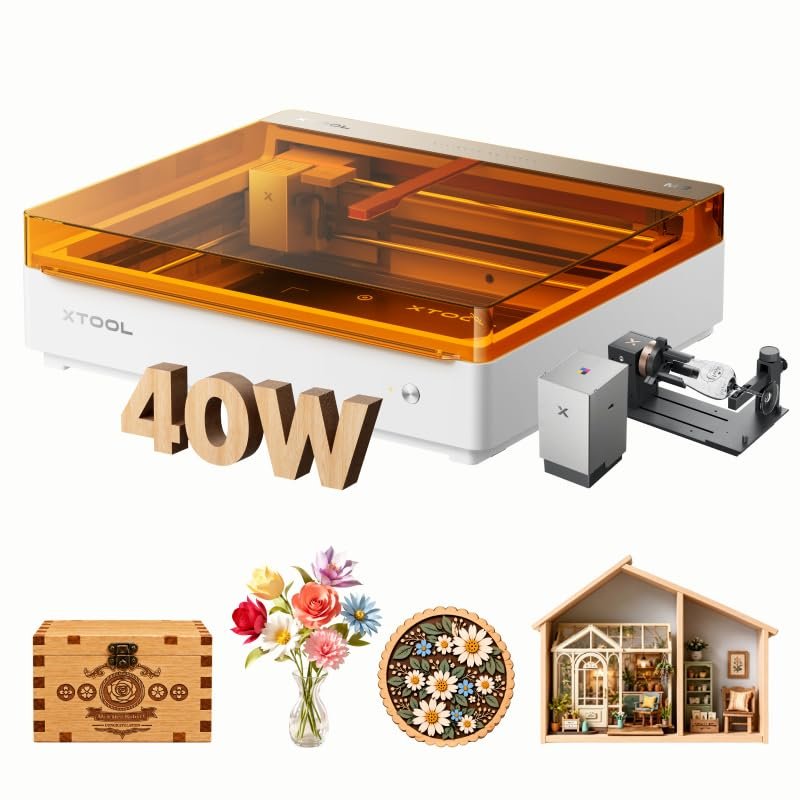
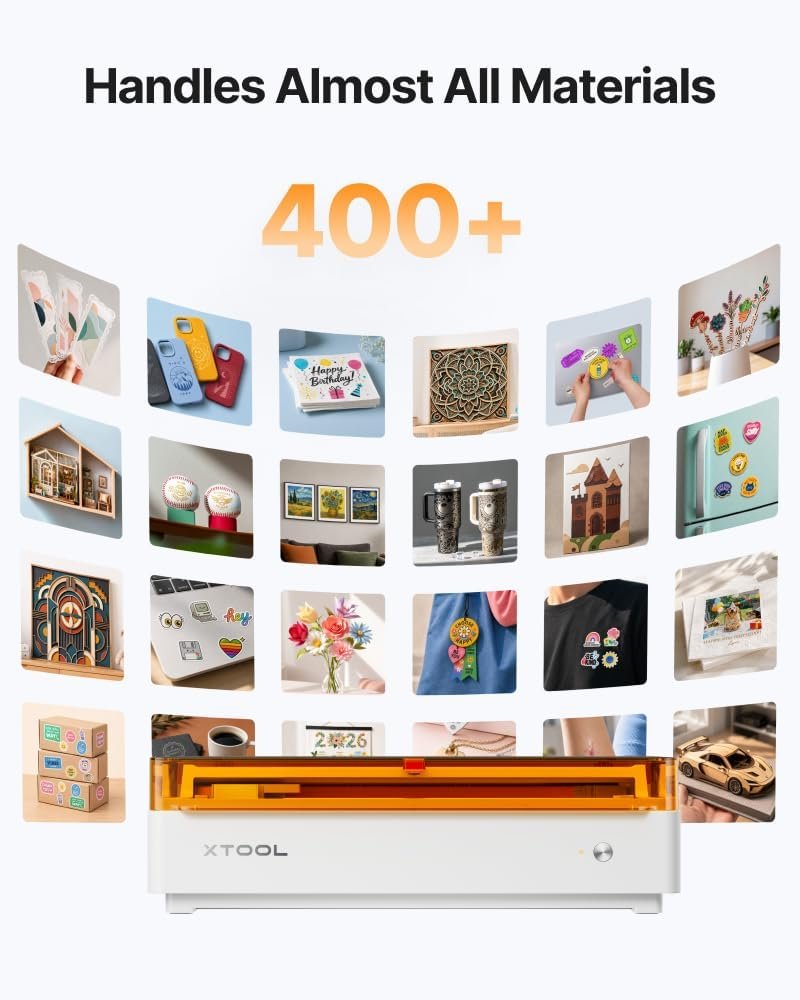
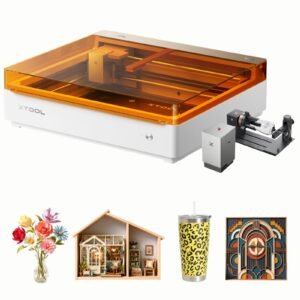
The xTool M2 Deluxe Bundle combines a 40W diode laser with a CMYK inkjet module and RA3 Lite accessory, letting you print, cut and engrave in one enclosed setup. According to the manufacturer, it handles 400+ materials with dual-camera preview and beginner-friendly xTool Studio software.
- Laser and CMYK inkjet in one machine for a print-to-cut workflow
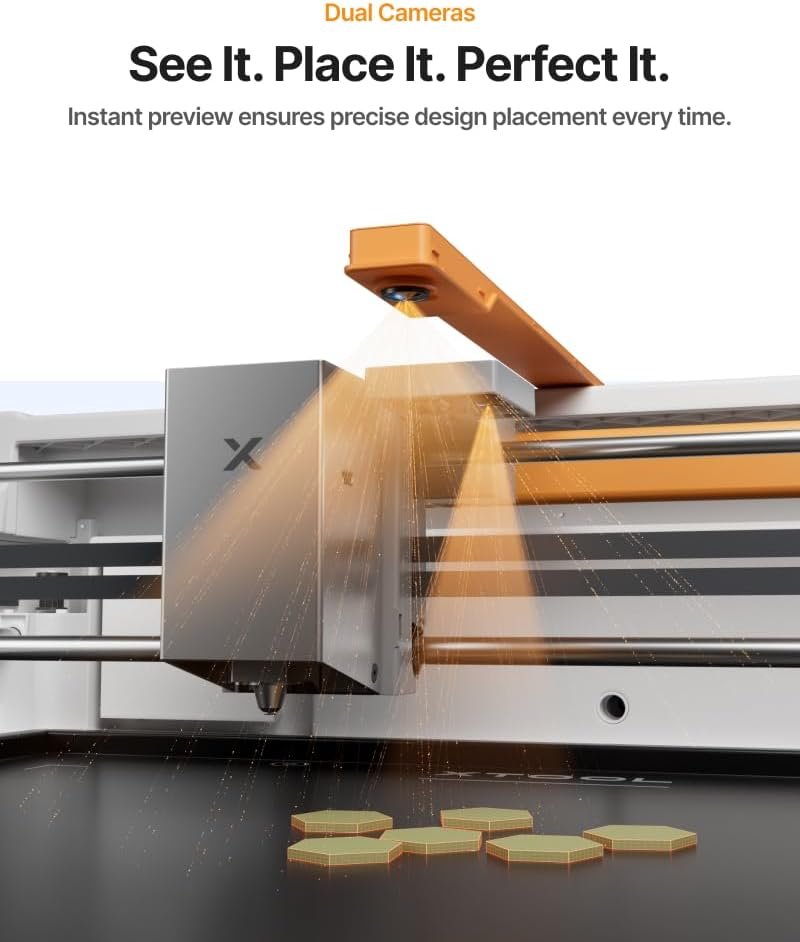
- Dual cameras with ACS for real-time preview and Place & Go positioning
- Hundreds of templates plus an AI image generator in xTool Studio
- Class 1 fully enclosed design with real-time monitoring
$1,479.00
See our full comparison → Best Laser Engravers for Home and Small Business in 2026
The xTool M2 40W Color Craft Laser Engraver and Cutter arrives here as a Deluxe Bundle: the 40W M2 Basic unit, the CMYK inkjet module and the RA3 Lite, packaged together so colour printing and laser work can share one workspace. According to the manufacturer, the appeal is consolidation — instead of juggling a printer, a cutter and an engraver, the M2 is pitched as a single machine for personalised gifts, stickers, home decor and small-batch craft projects.
This is not a budget entry-level laser. At 42.9 pounds and roughly 27.5 x 24.75 x 11 inches in its package, it is a substantial piece of equipment aimed at crafters who are serious about output. Below we summarise what xTool publishes about the M2 and what the bundle adds, so you can judge whether it fits your projects.
Colour printing meets laser cutting
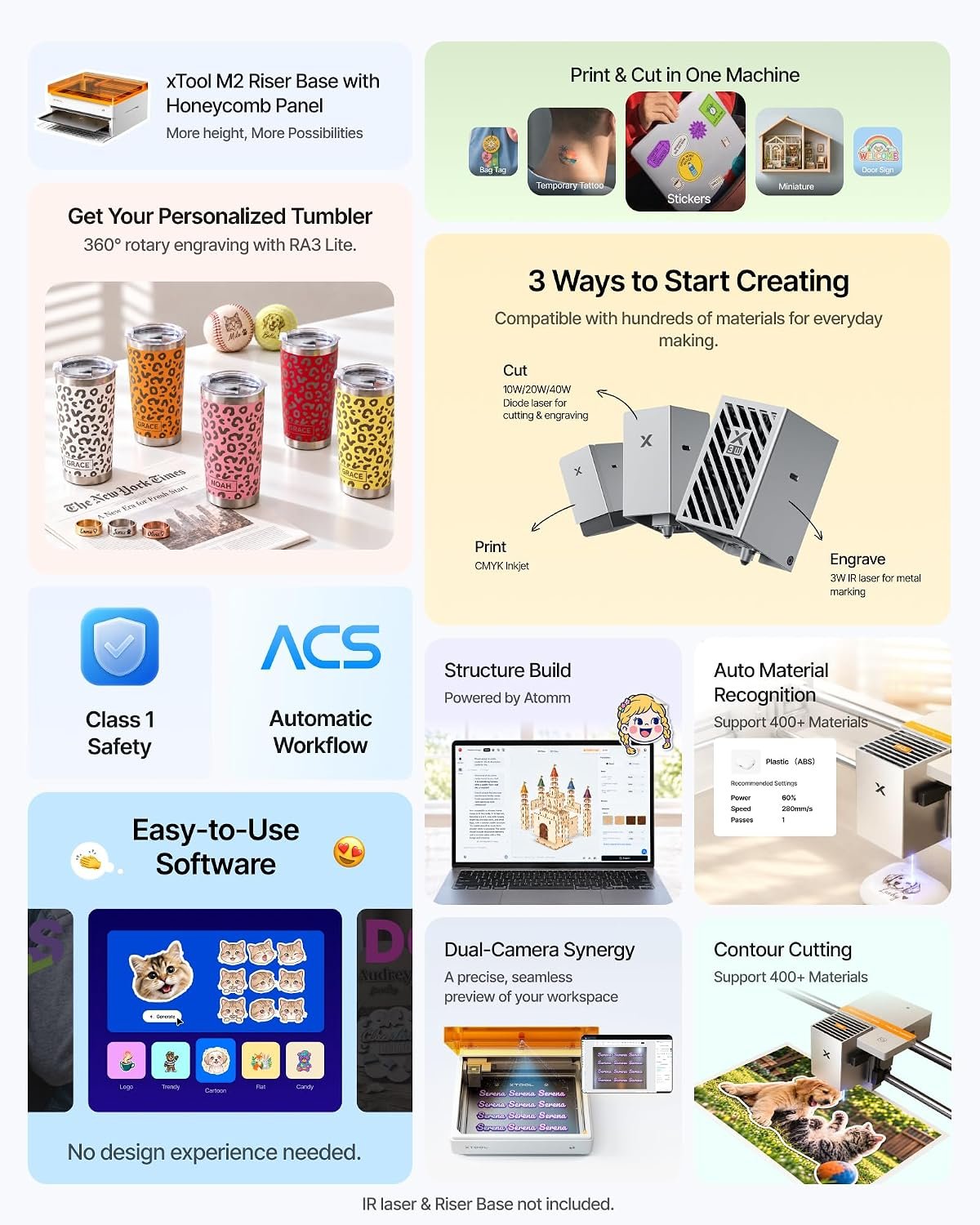
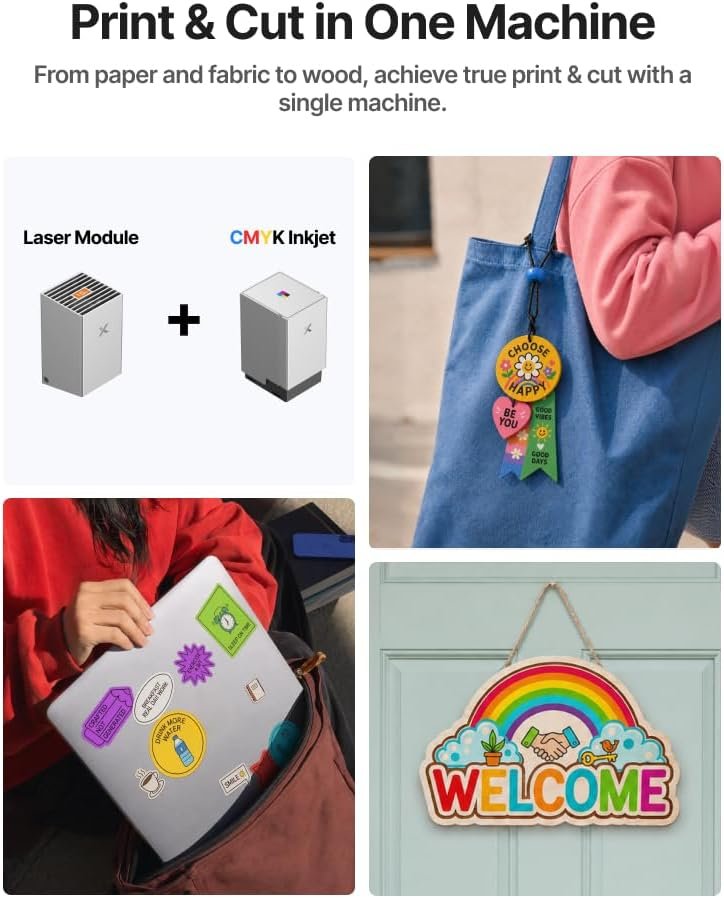
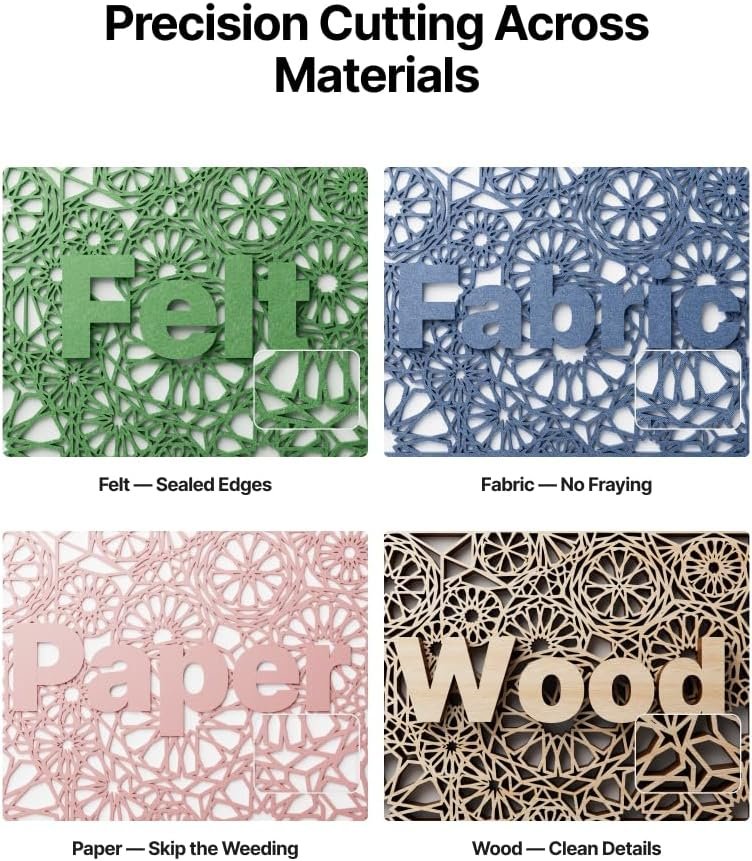
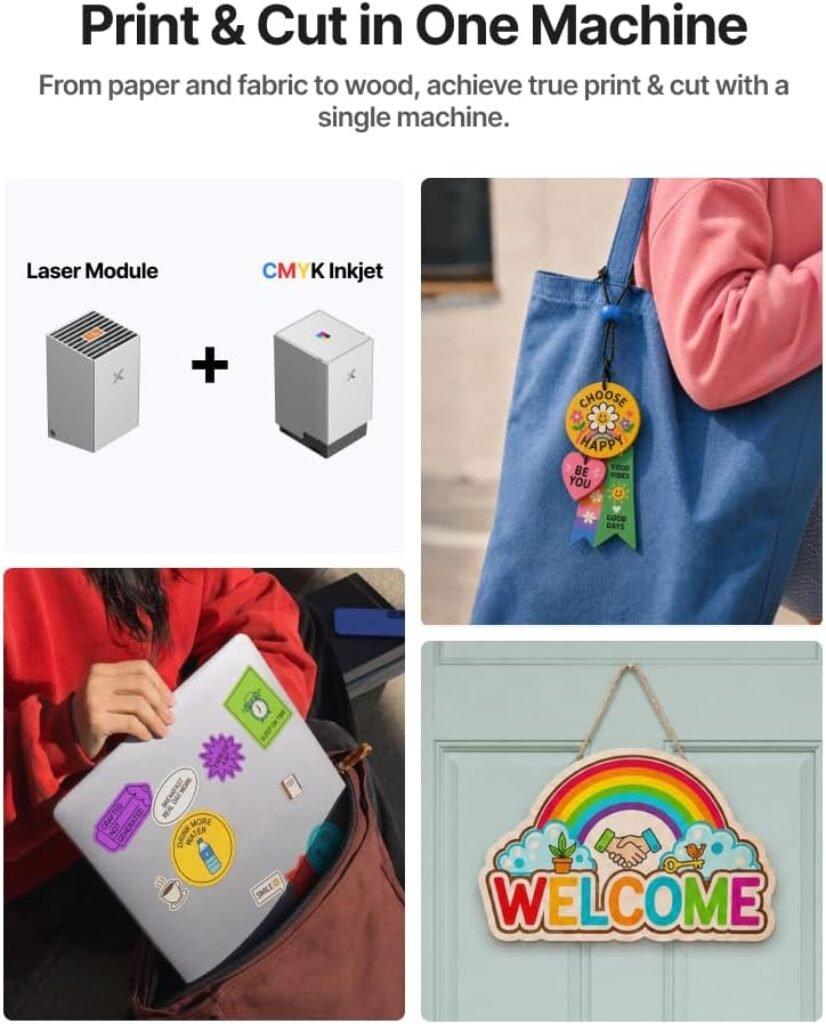
The headline feature is the combination of a CMYK inkjet module with the laser head in one chassis. xTool states the M2 can transform 400+ materials — cardstock, felt, leather, wood and more — into personalised pieces, with full-colour printing, precision cutting and custom engraving handled in a seamless print-to-cut workflow from one setup. In practice, that means you can print a design in colour and then cut or engrave around it without moving the material to a second machine, which is the step where misalignment usually creeps in.
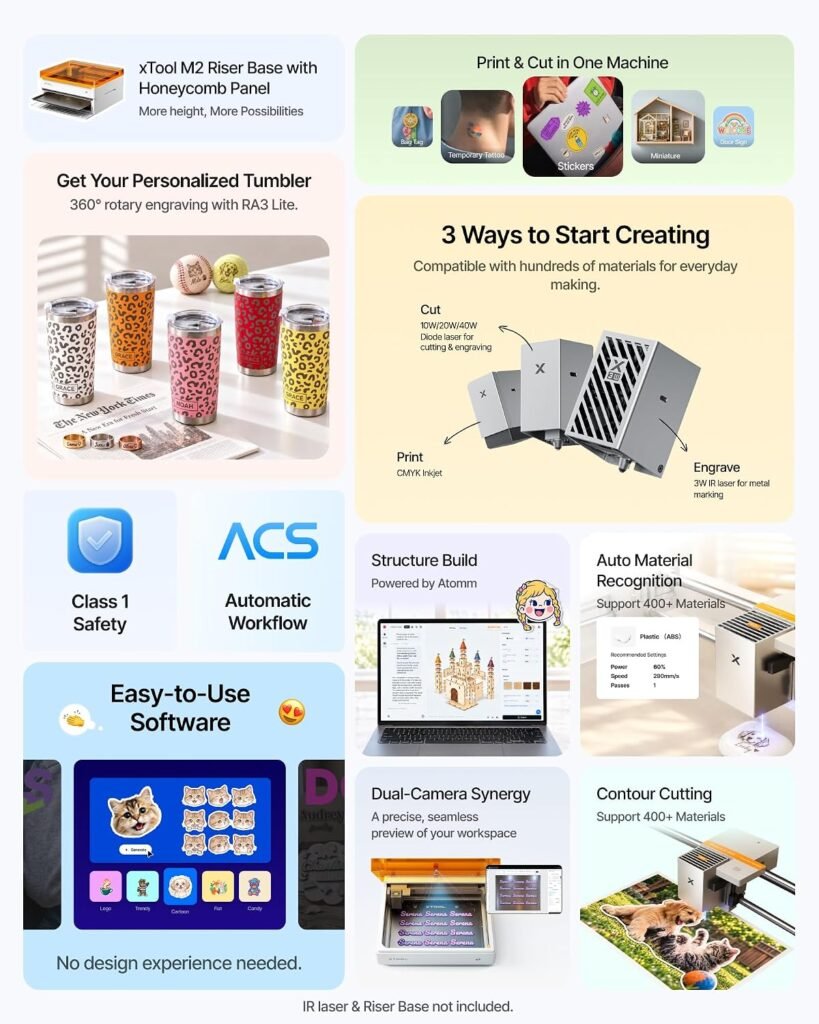
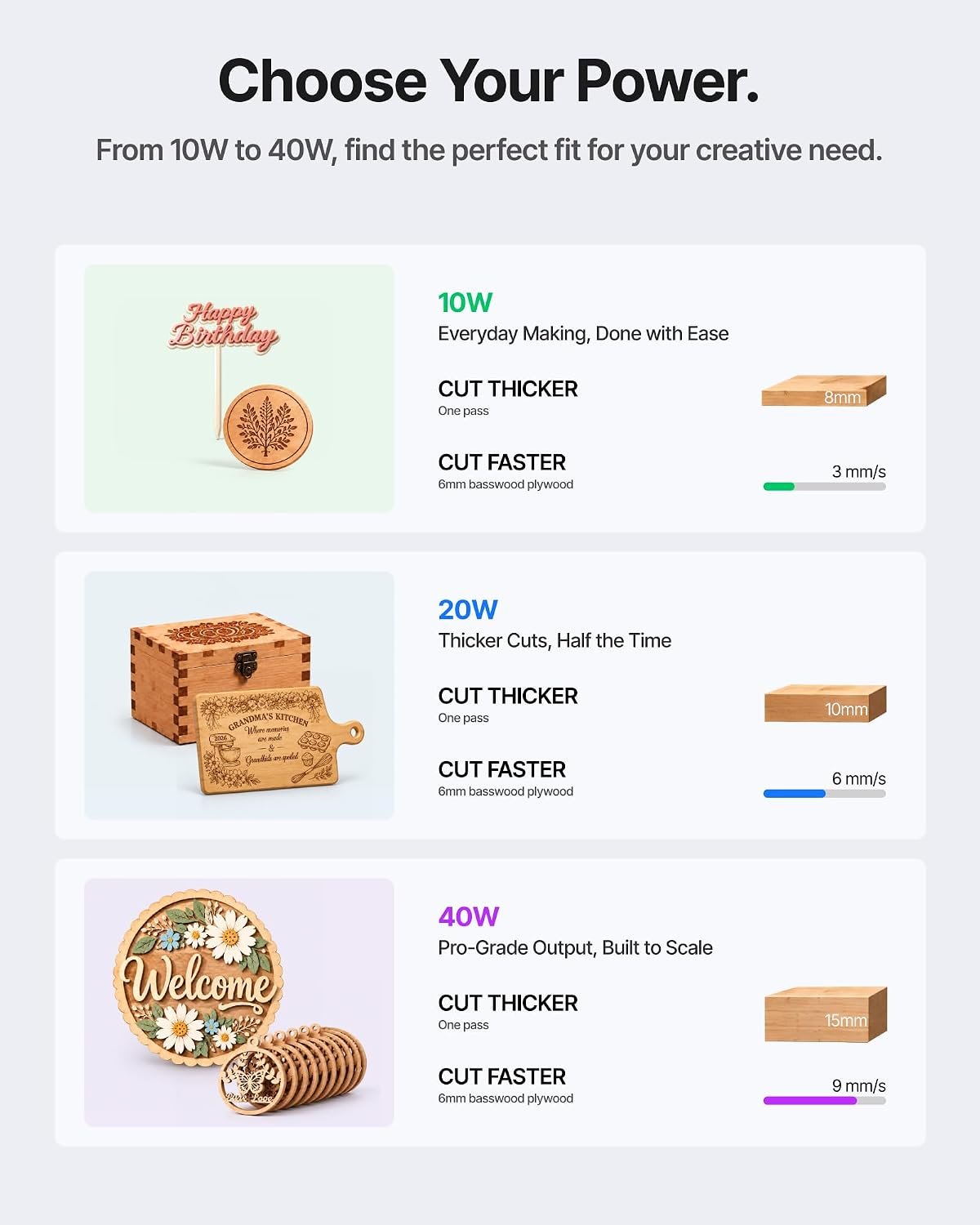
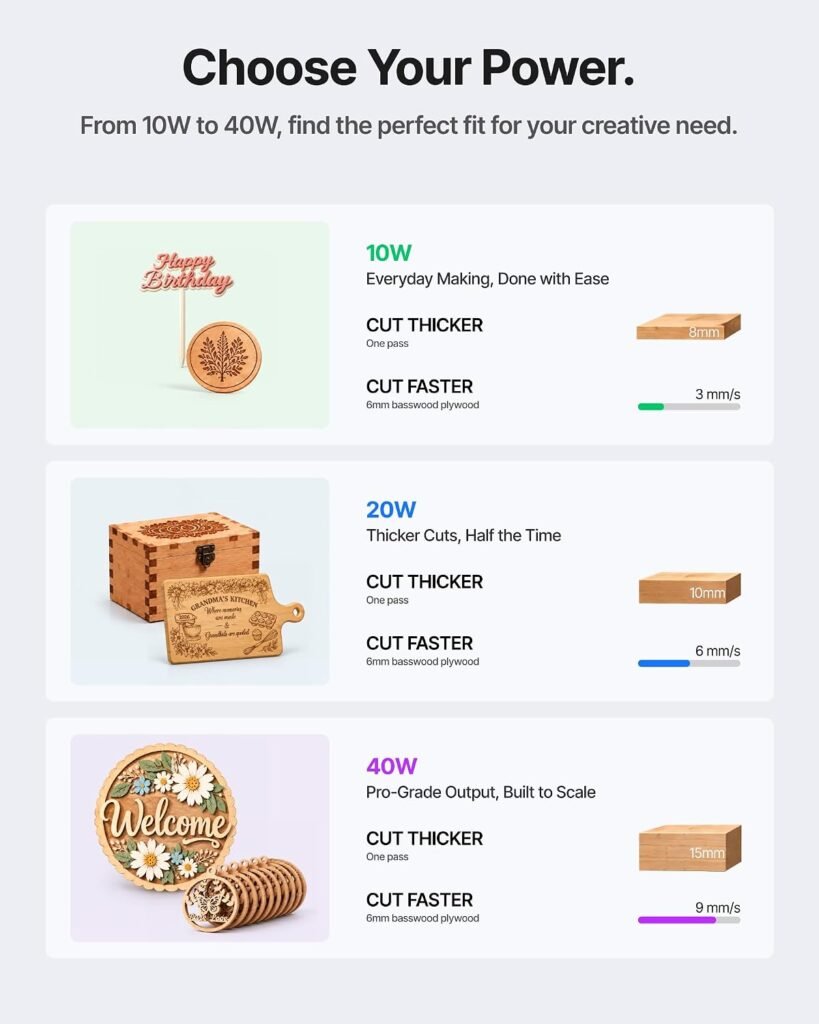
The 40W diode laser in this bundle sits at the top of the M2’s power range. xTool also lists 10W and 20W diode options and a separately sold 3W IR module, so the platform is designed to be reconfigured around your workflow — delicate engraving on one project, high-speed batch cutting on the next. The manufacturer notes the laser output power is 40000mW and that the M2 is a Class 1 laser engraver.
Dual cameras and the Place & Go workflow
Positioning is often the fiddliest part of laser crafting, and xTool addresses it with built-in dual cameras that provide a real-time preview of the workspace. Backed by ACS, the system fuses that camera vision with motion control for what xTool calls a “Place & Go” experience — the stated aim being high accuracy without guesswork or wasted material. For anyone who has burned through a sheet of expensive leather because a design landed a few millimetres off, that preview is the feature to pay attention to.
Software: templates and AI assistance
xTool Studio is described as beginner-friendly, with hundreds of ready-to-use templates and an integrated AI image generator. The manufacturer’s pitch is that you can move from a creative text idea to a finished personalised gift or piece of home decor in minutes, with no steep learning curve — design, click and create. Templates are a genuine shortcut for gift-season production runs; the AI generator is best treated as a starting point for artwork that you then refine.
Safety and home use
The M2 is marketed as Class 1 with real-time monitoring and a fully enclosed design that protects the family, which is the configuration most relevant to a home craft room. xTool positions it for stickers, temporary tattoos, home decor, personalised gifts and starting a side hustle. As with any laser device, buyers should still follow the manufacturer’s ventilation, material and operating instructions.
What’s in the Deluxe Bundle
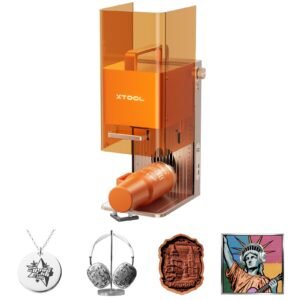
The bundle pairs the 40W M2 Basic with the CMYK inkjet module and the RA3 Lite. The inkjet module is what unlocks the colour printing half of the print-to-cut workflow; the RA3 Lite is included as part of this deluxe configuration. Buyers considering the base machine should note that colour output depends on having the inkjet module installed, and the 3W IR module is not part of this bundle — it is sold separately according to the feature list.
Who is it for
- Serious home crafters producing personalised gifts, decor and stickers who want colour and cutting in one enclosure.
- Small side-hustle makers who need batch cutting plus full-colour printing without buying two separate machines.
- Designers moving from vinyl cutters who want engraving capability alongside print-to-cut.
- Households with children or pets where the fully enclosed Class 1 design and real-time monitoring matter.
It is likely less suitable for someone who only occasionally cuts cardstock, or for a workshop that already has a dedicated laser cutter and a colour printer.
What owners say
At the time of writing, this listing does not display a verified buyer rating or a star breakdown, so there is no owner feedback to summarise. We have not fabricated a rating, and we would recommend checking the live listing for buyer reviews before ordering. The assessment above is based solely on the manufacturer’s published specifications and feature descriptions.
FAQ
Does the M2 print in full colour?
Yes, when the CMYK inkjet module is installed. This Deluxe Bundle includes that module, and xTool describes a print-to-cut workflow combining colour printing with laser cutting and engraving.
Can I change the laser power?
The M2 platform supports 10W, 20W and 40W diode laser configurations, and a 3W IR module is sold separately. This bundle ships with the 40W configuration.
Is it safe to use at home?
xTool states the M2 is a Class 1 laser engraver with a fully enclosed design and real-time monitoring. Users should still follow the manufacturer’s instructions for materials and ventilation.
What software does it use?
xTool Studio, which the manufacturer describes as beginner-friendly with hundreds of templates and an integrated AI image generator.
Verdict
The xTool M2 40W Deluxe Bundle is a compelling proposition for crafters who want colour printing and laser cutting in a single enclosed machine. The 40W laser, dual-camera Place & Go positioning and template-rich software address the three biggest friction points in home laser crafting: power, alignment and design. The Class 1 enclosure makes it a more family-friendly choice than open-frame lasers. The main caveats are the price, the physical footprint at 42.9 pounds, and the absence of a published buyer rating at the time of writing. If your projects involve colour plus cutting and you value one setup over two machines, the M2 bundle deserves a close look.
Specifications
| Package Dimensions | 27.5 x 24.75 x 11 inches |
|---|---|
| Item model number | MLM-K610-001 |
| Item Weight | 42.9 pounds |
| Manufacturer | Makeblock Co., Ltd. |
| Date First Available | October 22, 2026 |
Specification: xTool M2 40W Color Craft Laser Engraver and Cutter, Deluxe Bundle with CMYK Inkjet and RA…
|
User Reviews
Be the first to review “xTool M2 40W Color Craft Laser Engraver and Cutter, Deluxe Bundle with CMYK Inkjet and RA…”
Related Products








$1,479.00
There are no reviews yet.